 SlipperySign
Sending
It leaves your mailbox, not our relay
Gmail API and Microsoft Graph, from the user's own account, under a revocable gmail.send or Mail.Send grant. Your domain, your SPF and DKIM, your reputation — and a copy in her Sent folder.
We are never the sender. Your own Gmail or Microsoft 365 account delivers it — which changes the deliverability, the price, and what anyone is able to find out about your staff.
A campaign built in SlipperySign, delivered by the sender's own mailbox, as the recipient sees it.
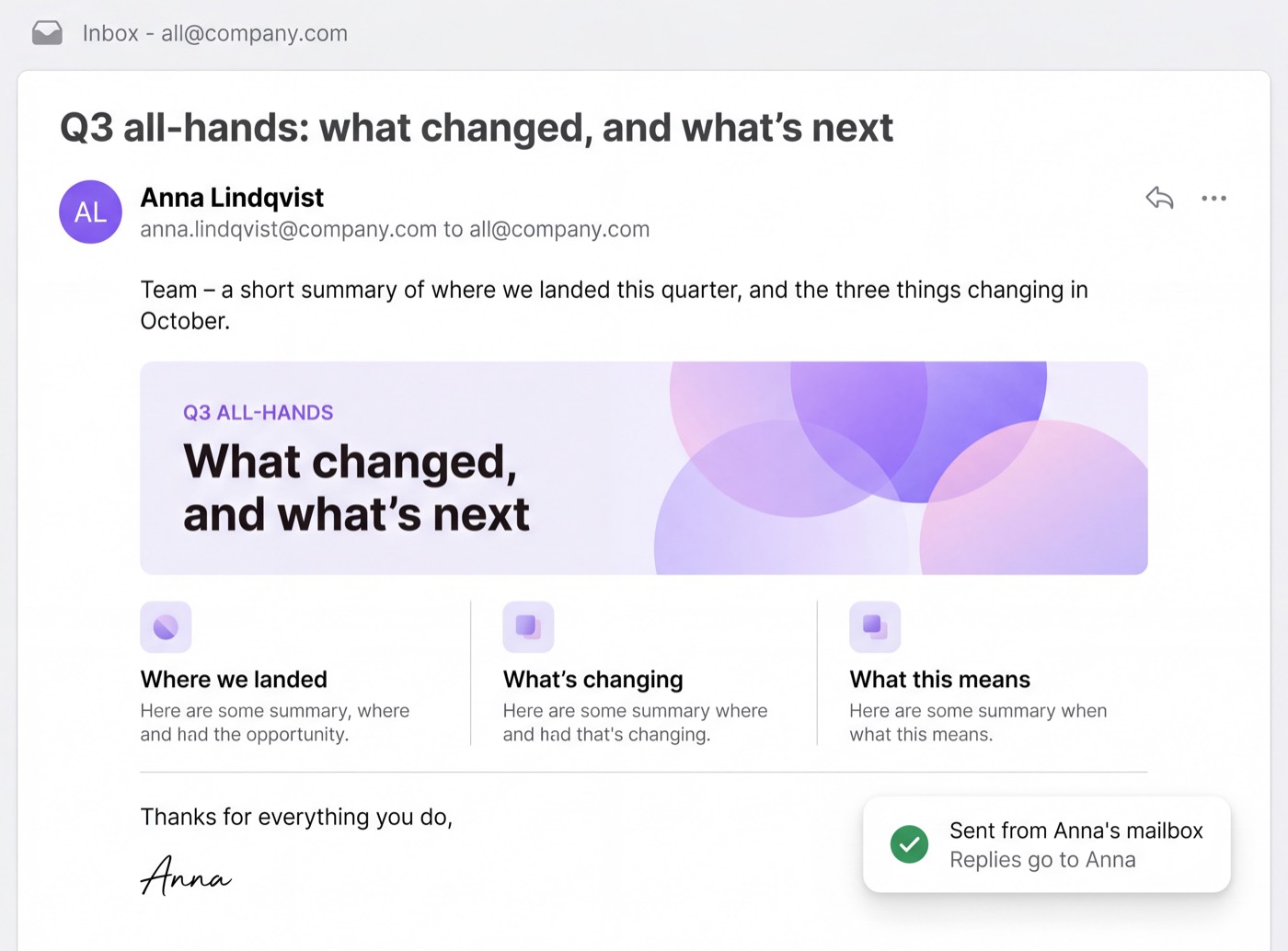
No relay address, and no “via” line beside her name. It is her mailbox, so it is simply her email.
Into her inbox, in the same thread. If IT would rather they landed in a shared mailbox, a Reply-To address sends them there instead.
It travels the same path as every other internal mail, so it arrives where internal mail arrives.
Because she sent it. There is no separate system of record to reconcile at audit time.
Not a feature list — every other tool has an editor and an approval step. These six follow from one decision: the mail leaves your mailbox instead of ours. A vendor who relays your mail cannot copy them without rebuilding their product.
Sending
Gmail API and Microsoft Graph, from the user's own account, under a revocable gmail.send or Mail.Send grant. Your domain, your SPF and DKIM, your reputation — and a copy in her Sent folder.
Recipients
No upload, no import, no directory sync. Campaigns are addressed to the distribution lists and group aliases you already run, and your mail provider expands them at send time. We never see who is on them.
Measurement
Opens are one counter per campaign, clicks one counter per link, plus a daily total. No tracking table has a recipient column, so the report a manager asks for cannot be produced — by us either.
Custody
It is held in the browser for the duration of the send, then discarded. There is no password field and no password store anywhere in the product — Google or Microsoft authenticates and hands us a verified address.
Residency
Set against your company record rather than the region we happen to run in. EU storage is pinned to EU jurisdiction at the storage layer, so the bytes stay in the EU rather than merely being described that way.
Cost
Not per contact, not per send, not per open. Send to everyone, twice a week, at no extra cost. One flat monthly rate, and the only number that decides it is how many people work at your company.
Every other tool in this category begins by asking you to hand over your people, one row at a time. This one begins from the list you already have. You send to all@company.com — one address — and your mail provider opens it at delivery and fans it out to everyone your directory says belongs there.
Membership stays where it should be: in your directory, maintained by the people whose actual job that is. We only ever see the fruit. We never count the seeds.
The number is a property of the database schema, not a promise. The second half is the honest half: this is not a zero-data tool, and selling it as one would not survive your first security review.
recipients we can name Across every campaign, every open, every click, for every customer.
Opens are one counter per campaign. Clicks are one counter per link. There is a per-day rollup, and that is all. There is no table a per-person report could be built from.
Campaigns are addressed to the distribution lists and group aliases you already have. Your mail provider expands them at send time — we never see the membership.
There is no password field and no password store. Google or Microsoft authenticates the person and hands us a verified email address.
A promise about a database is worth nothing unless you can check it. So on the left is every place in the system where a person's address is stored, by column. On the right are the three tracking tables printed in full, every column, nothing omitted.
Every column that holds an address
The three tracking tables, in full
That is all three tables. A report naming who opened your email would have to join against a column in one of them, and there is no such column to join against — so the report cannot be written, by us or by anyone who compels us.
None of this is a reason to switch — every serious tool in this category has it. It is a reason not to have to compromise when you do switch.
Count the people who work there. That is the whole pricing model — there is no second axis, because there is nothing on our side that gets more expensive when you send more.
Sending, recipients, measurement, token custody and residency are above. These are the four that are left.
SlipperySign runs on enterprise cloud infrastructure that is audited and certified against the standards your security team will ask about — so the foundation under your internal communications is held to the same bar as the rest of your stack.
To be precise, because it matters in a review: these certifications are held by the infrastructure provider operating the platform we run on, not by SlipperySign itself. We are telling you what the foundation is certified to — we are not claiming the certificates as our own.
Sign in with the Google or Microsoft account you already have. Nothing to install, and no contact list to upload.
Open the appSlipperySign Mail — first of a family. Tools for learning experiences follow.